 SEEPLORE
Search for exoplanets and you'll find plenty of gorgeous artwork, but you can't pick any of it up and turn it around. Weird Exoplanets puts ten planets on a distance map and lets you fly into each one and spin it in 3D. This post walks through what you actually tap, in order, and what shows up on screen when you do. Along the way you'll learn how to tell, right on the screen, which parts come from real observations and which parts are an artist's best guess.
It opens on a map of space
The first screen has a glowing point labeled "Solar System" in the middle, with circles drawn around it like ripples in a pond. The circles are marked 1 ly, 10 ly and 100 ly. A light-year (ly) is how far light travels in one year. Every time you cross a circle, the distance grows ten times.
Why draw it that way? The nearest planet on the map is about 4 light-years away and the farthest is about 1,400, a gap of more than 300 times. Draw that to normal scale and the close planets all pile up into one dot in the middle. So the map uses a ruler marked 1, 10, 100 instead of 1, 2, 3. Each planet sits in the direction where you'd actually find its star in the night sky.
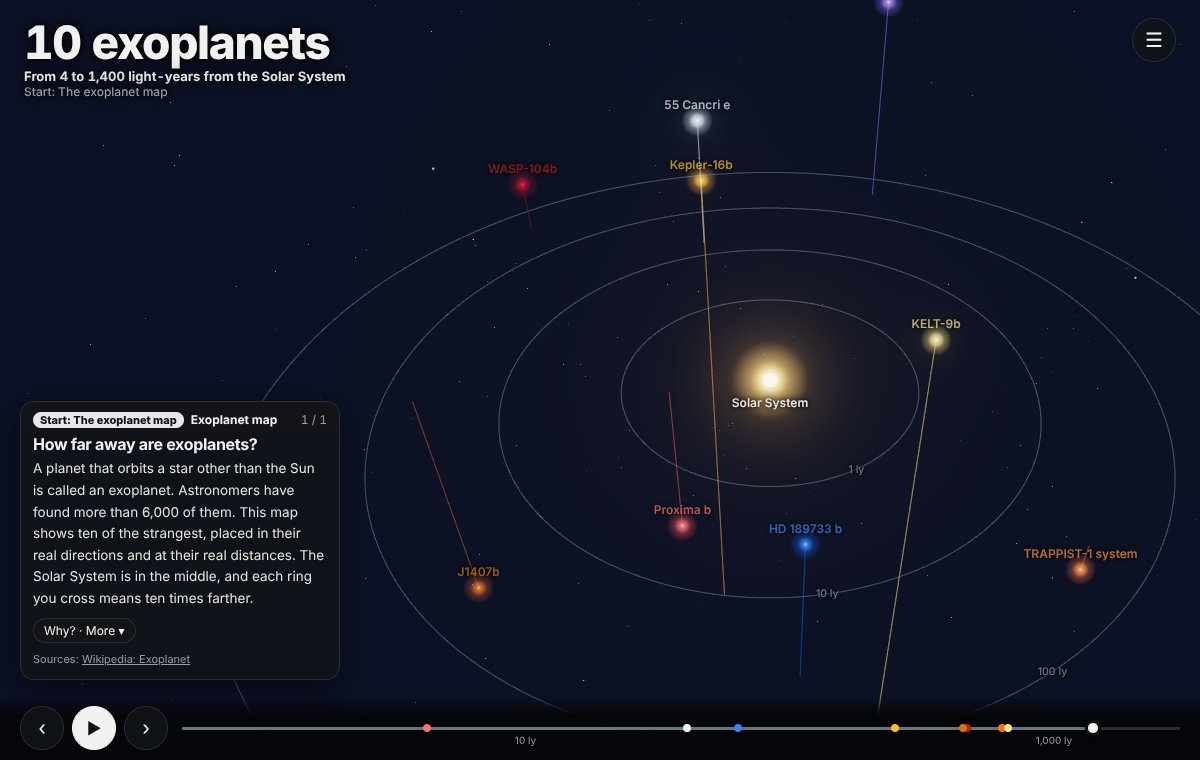
The bar along the bottom is a distance slider too. Each colored dot is one planet. Drag along it and the big number at the top left changes to match; let go and the view flies to the planet closest to that distance. Tap the › arrow instead and you move through four parts in order: Close neighbors, Inferno worlds, Storms and darkness, and Strange shapes. Whenever you switch planets, a quick note like "about 9.6× farther" pops up and fades, telling you how the new distance compares with the last one. That particular number shows up on the hop from Proxima b to TRAPPIST-1.
Dive into a dot and the planet fills the screen
Each planet gets two or three scenes. The first one shows the distance from us on the map. On the next, the camera dives into that dot: the map fades out and the planet swings up close, on what the app calls the close-up stage.
Check the top left corner. Under the big distance number you'll see a line like "64 years at light speed", which tells you how long ago the starlight reaching us now set out. The card on the left gives a short explanation, and a "Why? · More" button opens the reasons and extra details. Scroll the card and you'll find a small fact sheet (distance, type, size, star, length of a year, temperature, year found) with source links at the bottom.
Drag it around to see the night side
Leave a close-up planet alone and it turns slowly on its own. Drag with a finger or mouse and you can spin it any way you like. Pinch, or roll the mouse wheel, to move in or back out. About eight seconds after you let go, it starts turning by itself again.
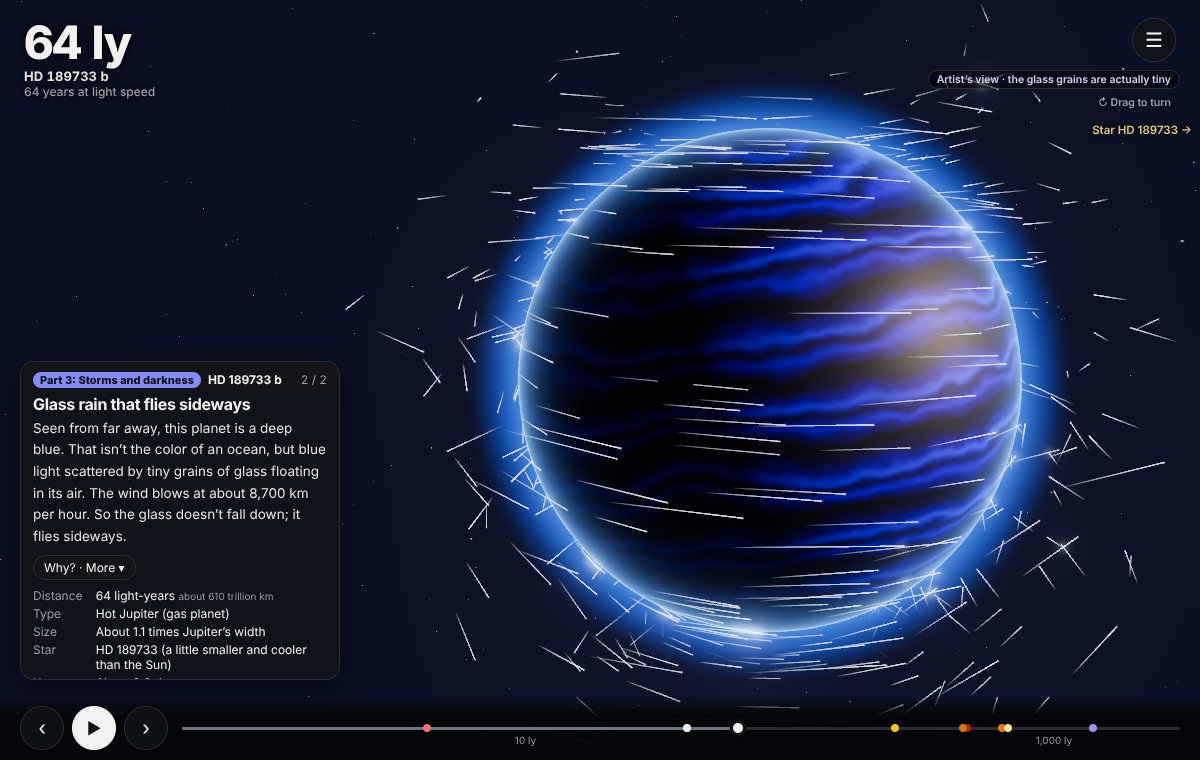
HD 189733 b in Part 3 is a good place to try this. White streaks race sideways across a deep blue planet. Those streaks stand for grains of glass. The wind there blows at about 8,700 km per hour, so the grains never get the chance to fall; they get blown sideways. The yellow "Star HD 189733 →" tag at the top right points toward the star lighting the planet.
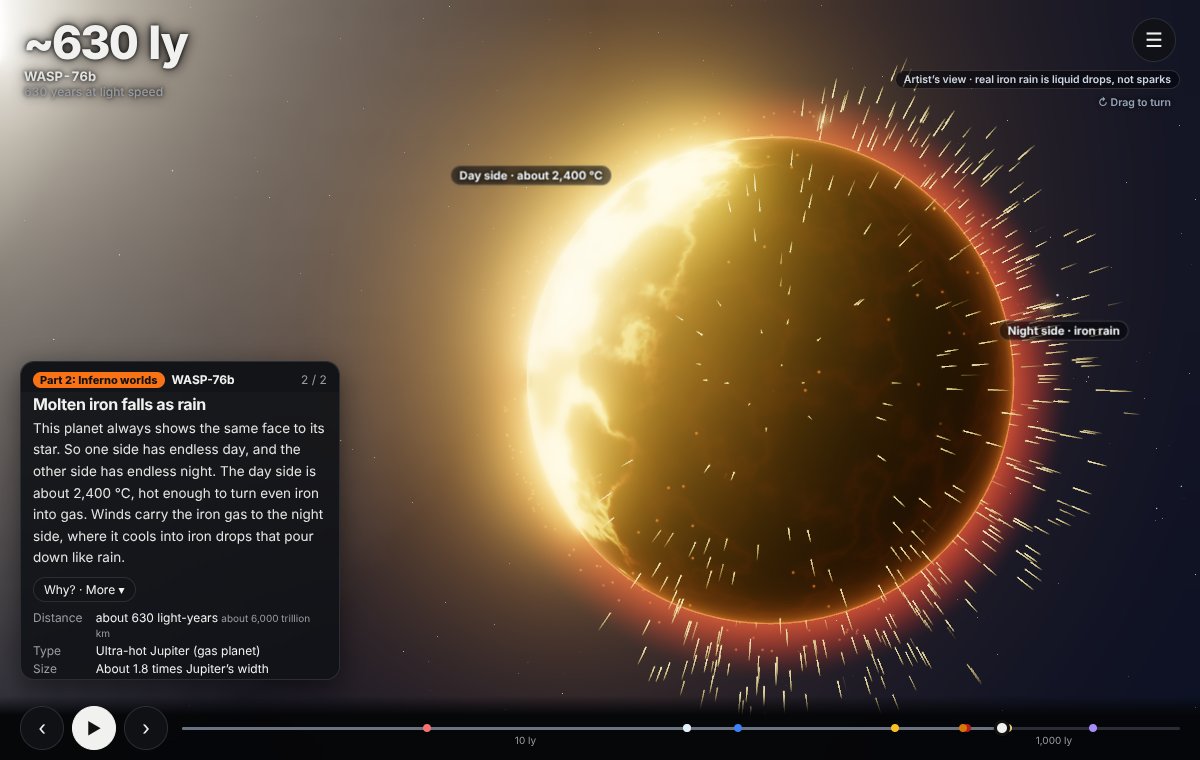
WASP-76b in Part 2 gives you an even better reason to spin. This planet always shows the same face to its star, so one side has endless day and the other side endless night. At first the bright side is on the right. Drag from left to right and the "Day side · about 2,400 °C" and "Night side · iron rain" tags travel around with the planet. The story is that iron boils into gas on the day side, rides the wind over to the night side and falls as drops, and you follow it by turning the line between day and night with your own hand.
Read the small print in the corner
None of the close-ups are photos. They're pictures drawn from research results, and the app is upfront about that. A small tag in the top right corner says what was enlarged or dressed up. On WASP-76b it reads "real iron rain is liquid drops, not sparks". On TRAPPIST-1 it says "planets enlarged, orbit distances to scale".
The most interesting stop is 55 Cancri e. Its second scene shows a sparkling lump of diamond, tagged "Artist's view of an old idea". That idea came from a 2012 calculation suggesting the planet holds a lot of carbon. Go one scene further and the diamond is gone, replaced by an ocean of molten lava. Later measurements of the star found less carbon than expected, and in 2024 the James Webb Space Telescope picked up signs of a lava ocean under a thick layer of air. Two scenes, one changed mind.
The J1407b card carries a yellow note, "Candidate — not yet confirmed". On WASP-104b, a small "Compare: an ordinary ball" glows at the top left while the planet itself looks black under the same light, because it sends back less than 3% of the light that hits it.
When you'd rather sit back and watch
Hit the ▶ button at the bottom and the app moves to the next scene on its own, pausing longer on scenes with more text. On a phone you can swipe the card left or right; on a computer the arrow keys and the space bar work.
If you'd rather listen, open the ☰ menu at the top right and choose "Documentary mode". It plays from the scene you're on to the end with narration and subtitles, and all 22 scenes in English run about 7.9 minutes. The bar at the bottom lets you skip scenes, set the speed to 0.8×, 1× or 1.25×, and turn subtitles or sound on and off. To start with the map yourself, open Weird Exoplanets.
This app was built on the same groundwork as Dangerous Space, from the same series. That one ranks space threats to Earth, from asteroids to black holes, by distance, so it's a natural next stop if you want more of the universe after the exoplanets.